Click Your tickets.
Click the Your Group Member List link.
Check Remove
from Group for the students you want to remove.
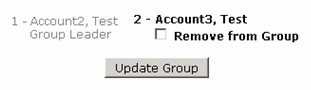
Click Update Group. The student will receive an email that he/she has been removed from the group. The removed student will be unable to request group seating tickets for the group.