For Group Leaders only
Group seating passwords are entered when students request group seating tickets for events.
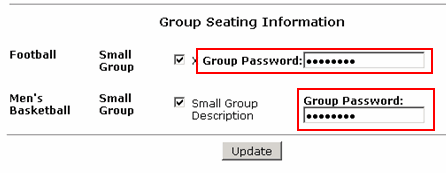
On the Group Leader's Student Information page (click Student information to open the Student Information page), the Group Seating Information section appears listing any existing groups.
The Group Leader can enter the group seating password for each group in the box provided. Clicking Update saves the passwords.